Example workflow you can build
Find why one office can’t reach a service.
An agent checks the connection from inside the affected office and from outside it, finds what differs and why, and verifies the repair after your network team approves it.
The run as text
- Start · Service desk incident (API request): “The portal works from home, but not from our office.”
- Model · Plan the checks: two networks, one record.
- Your tool call ·
dns_config.get_record: approved: 198.51.100.40. - Hand-off ·
net-check-stockholm(your agent): old address, expired TLS.- Model · Plan the probes: DNS and TLS probes.
- Tool call ·
oz0_net_diag.dns_lookup: 198.51.100.20. - Tool call ·
oz0_net_diag.tls_check: certificate expired.
- Hand-off ·
net-check-remote(your agent): current address.- Model · Plan the probes: DNS and TLS probes.
- Tool call ·
oz0_net_diag.dns_lookup: 198.51.100.40. - Tool call ·
oz0_net_diag.tls_check: certificate valid.
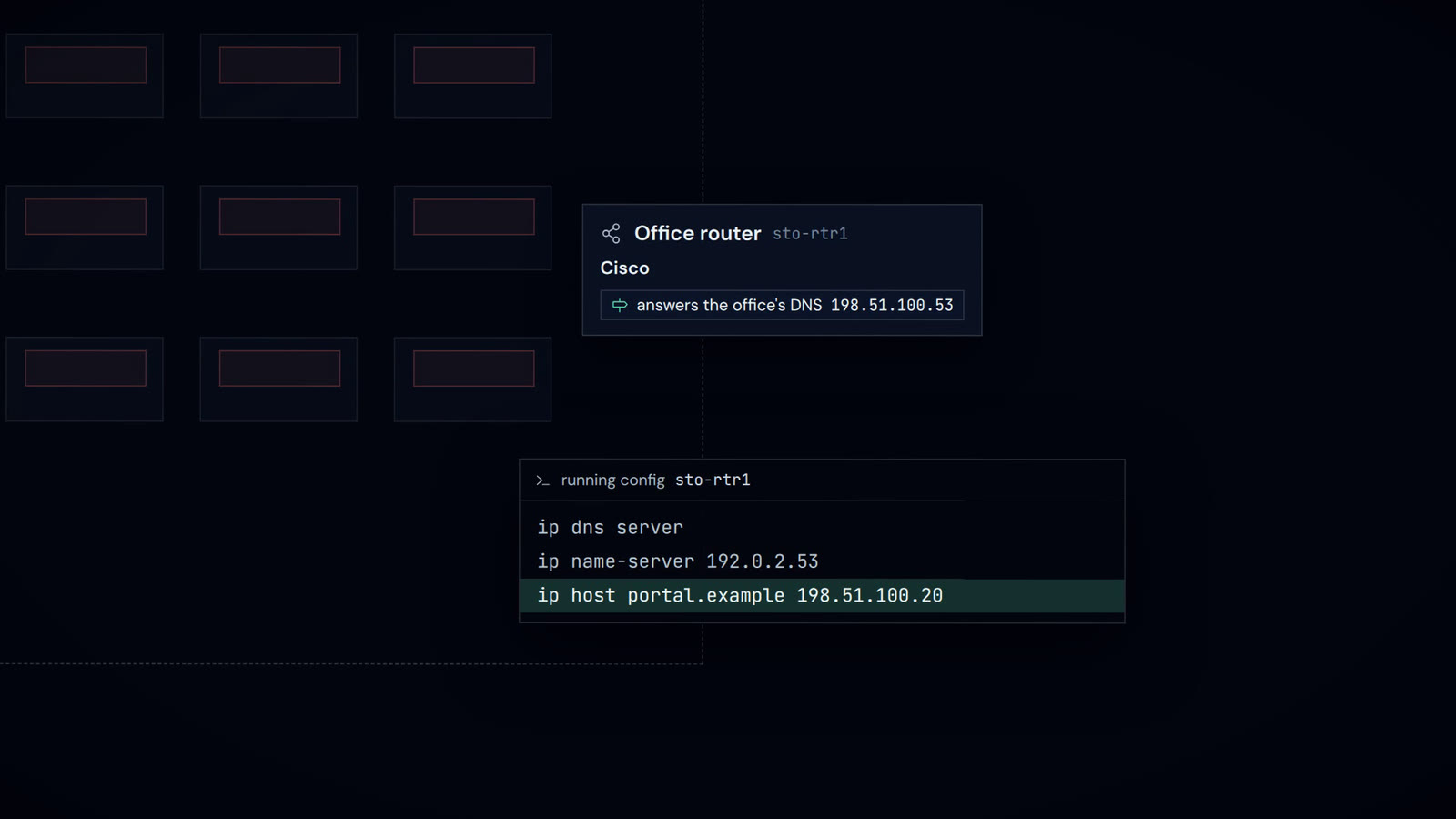
- Model · Locate the difference: stale office answer.
- Your tool call ·
netconfig.history: static entry from a move. - Your tool call ·
service_desk.add_note: evidence posted. - Model · Draft the change: remove one entry.
- Approval ·
dns_change.request. Decided by network team in oz0 Console: approved. If denied: the router stays unchanged. - Your tool call ·
dns_change.request: entry removed. - Hand-off ·
net-check-stockholm(your agent): valid TLS, HTTP 200.- Model · Plan the recheck: a DNS probe first.
- Tool call ·
oz0_net_diag.dns_lookup: 198.51.100.40. - Model · Check the new address: TLS and HTTP probes.
- Tool call ·
oz0_net_diag.tls_check: certificate valid. - Tool call ·
oz0_net_diag.http_check: HTTP 200.
- Hand-off ·
net-check-remote(your agent): still passing.- Model · Plan the recheck: DNS and HTTP probes.
- Tool call ·
oz0_net_diag.dns_lookup: 198.51.100.40. - Tool call ·
oz0_net_diag.http_check: HTTP 200.
- Model · Write the result: office connects again.
- Your tool call ·
service_desk.add_note: incident updated. - End of the run: completed. Office reaches the portal.
The network team approves the change to the router. A diagnosis alone changes nothing.
What you connect
Connect a node in each network, labelled by site, a model, your approved DNS records, the router’s config archive, ticketing and your network automation.
Build an agentA starting point
net-diag checks DNS, TCP, TLS and HTTP from the node it runs on. The config history, the note and the change itself need your own connectors.
DocsThese starters are documented; publication varies. See oz0 Hub for availability.